
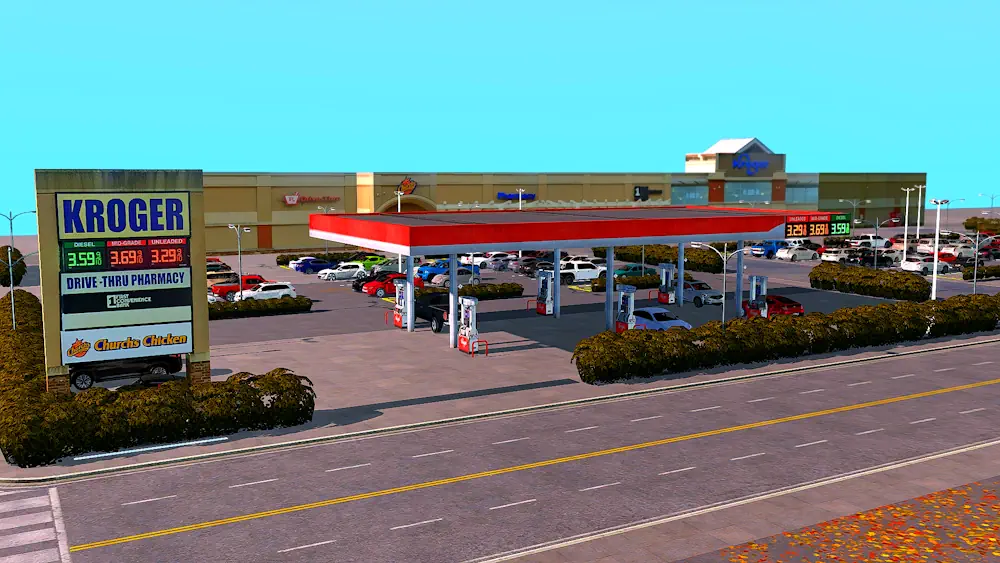


Deco Kroger Building CC
The Deco Kroger Building CC is a nice pick if you want your Sims 4 world to feel more like a real modern town. Instead of only using generic shops or empty decorative lots, this set gives you a recognizable grocery store look for your builds, screenshots, or city-style neighborhoods.
It includes a deco Kroger building and a matching Kroger street sign. Both items are made for decorative use, so they work best as background pieces, retail lot details, or exterior props for storytelling.
A More Realistic Store Area
This CC is especially useful if you enjoy building shopping plazas, small American-style towns, or commercial streets. The building can help fill empty spaces in your save, while the sign makes the lot feel more complete from the outside.
You can also pair this set with a deco gas station if you want to create a larger roadside area or a more believable neighborhood corner.
For players who like detailed lots and realistic world decoration, this is a simple but useful addition. It does not need to be overcomplicated - just place it, decorate around it, and your Sims 4 world instantly feels a little more lived-in.
Available Files
Need help? Read our Sims 4 mod installation guide.
How to Install Sims 4 Mods & CC
- Download the file.
- Unzip the archive if needed.
- Move .package or .ts4script files to Documents/Electronic Arts/The Sims 4/Mods.
- Enable Custom Content and Script Mods in the game settings.
- Restart the game.





Comments