
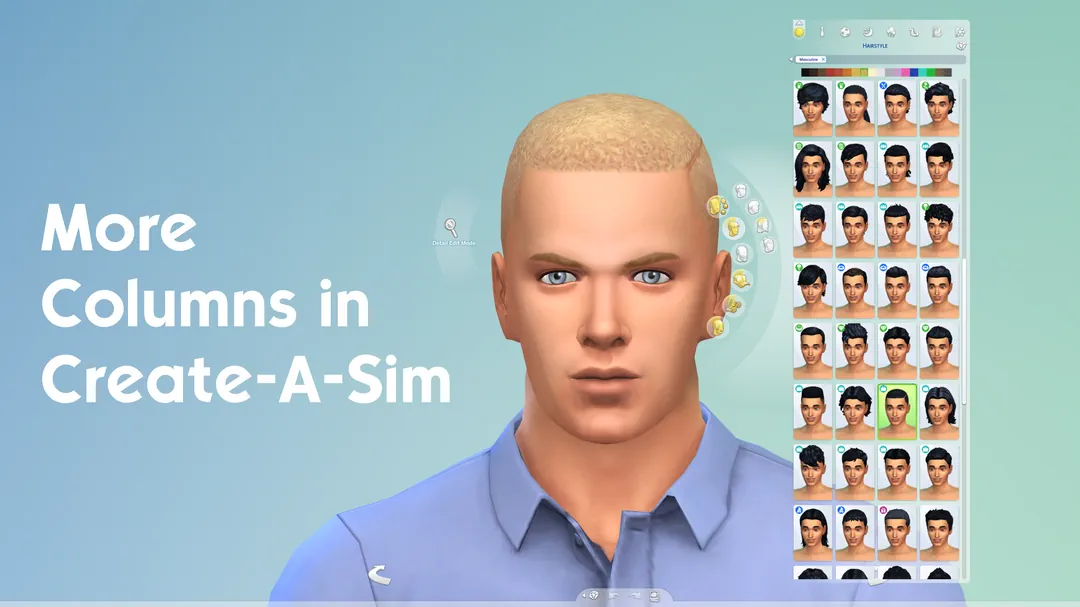


More Columns in CAS
This small UI mod is one of those simple changes that can make Create A Sim feel much better, especially if you have a lot of custom content installed.
Instead of scrolling forever through hair, clothes, skin details, makeup, and accessories, the CAS catalog becomes wider and shows more items at once. It keeps the same general Sims 4 look, but gives you more space to browse everything faster.
More Space in Create A Sim
The mod lets you choose how many columns you want in CAS. There are different versions, so you can pick the one that fits your screen best.
You can use:
- 3 columns
- 4 columns
- 5 columns
- 6 columns
This is very useful for players who download a lot of CAS CC. If your catalog is full of outfits, hairstyles, shoes, presets, or makeup, more columns save time and make the menu feel less cramped.
Just keep in mind that bigger column options need a higher screen resolution. If your screen is small, some versions may not fit correctly. For most players, 3 or 4 columns are the safest choice, while 5 or 6 columns are better for larger monitors.
The latest version is made for game version 1.122.218, so it is better to use it only if your game is updated. Older game versions may need an older release.
Available Files
Need help? Read our Sims 4 mod installation guide.
How to Install Sims 4 Mods & CC
- Download the file.
- Unzip the archive if needed.
- Move .package or .ts4script files to Documents/Electronic Arts/The Sims 4/Mods.
- Enable Custom Content and Script Mods in the game settings.
- Restart the game.
Comments