
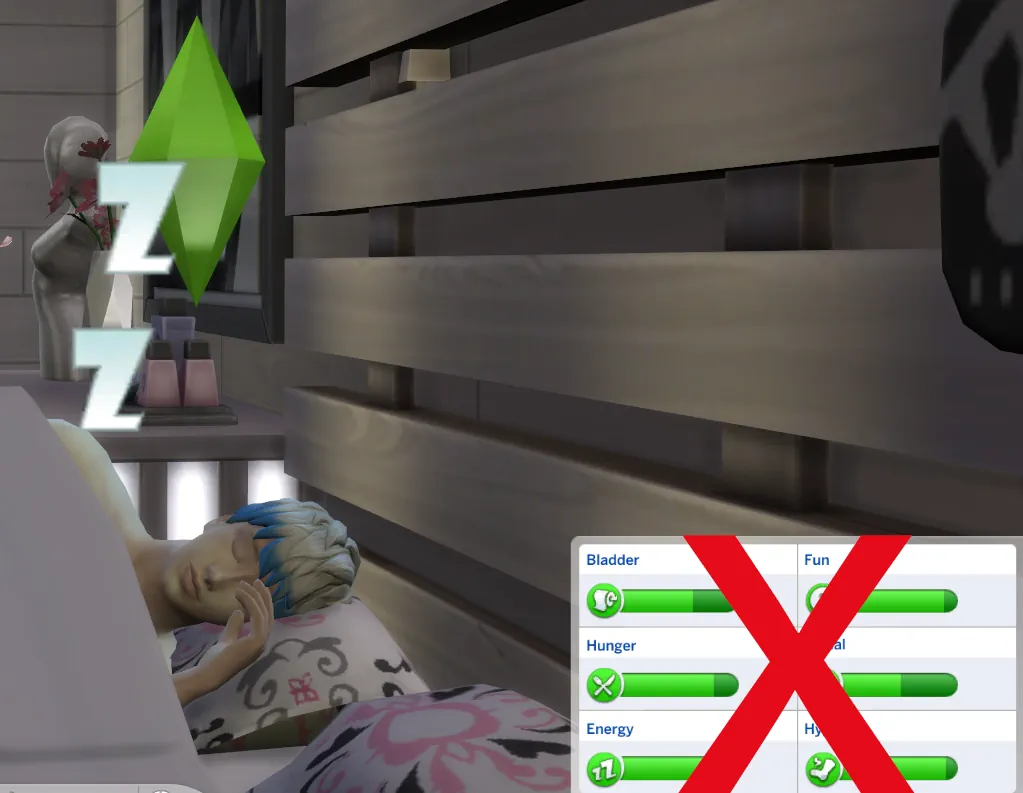

Lock Motives Decay When Asleep
Sleeping in The Sims 4 is not always as relaxing as it should be. Your Sim finally goes to bed, energy goes up, but other needs can still keep dropping in the background. Sometimes they wake up rested, but already hungry, uncomfortable, or close to needing the bathroom.
The Lock Motives Decay When Asleep Mod fixes that small but annoying part of everyday gameplay. When your Sim is asleep, their motives can stay locked instead of quietly draining overnight. It is a simple change, but it makes mornings feel much smoother.
A Small Fix That Makes Sleep Less Annoying
This mod edits the asleep mood buff tuning, so motives do not decay while Sims are sleeping. In normal gameplay, sleep can feel a bit weird because your Sim may spend the whole night in bed and still wake up with several needs already low.
With this mod installed, sleep becomes more useful. Your Sim can actually rest without other motives fighting against it at the same time.
It is especially nice for busy households, big families, students, workaholic Sims, or saves where you do not want every morning to start with a needs emergency.
Better for Easier Everyday Gameplay
This is not a huge overhaul and it does not try to change the whole game. That is what makes it useful. It focuses on one specific thing: making sleep more convenient.
Your Sims still need to eat, shower, socialize, and take care of themselves. The mod just makes the sleeping part less punishing. If you like a slightly easier gameplay style without using full cheats all the time, this can fit really well.
It also works nicely if you play stories where needs are not the main focus. For example, if you care more about relationships, careers, families, or custom challenges, this mod helps remove some of the repetitive morning routine pressure.
Base-Game Friendly and Simple to Use
The mod is base-game compatible, so you do not need any expansion pack for it to work. It is also a non-script mod, which makes it easier to install and manage compared to bigger gameplay mods.
The current version is V4, updated for patch 1.116. Since it changes game tuning, it is still smart to check the creator's mod status after major Sims 4 patches, especially if EA updates needs, buffs, or sleep-related systems.
One important note: the creator says to install only one flavor from this mod. So do not drop every included version into your Mods folder at the same time.
Available Files
Need help? Read our Sims 4 mod installation guide.
How to Install Sims 4 Mods & CC
- Download the file.
- Unzip the archive if needed.
- Move .package or .ts4script files to Documents/Electronic Arts/The Sims 4/Mods.
- Enable Custom Content and Script Mods in the game settings.
- Restart the game.



Comments