


Better BuildBuy Mod
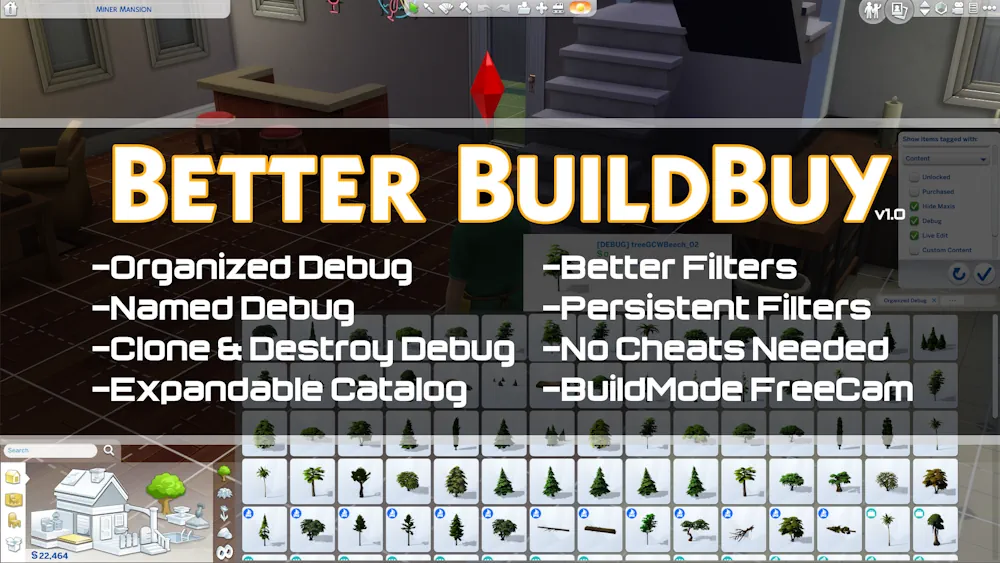
Better BuildBuy is one of those mods that makes building in The Sims 4 feel less annoying and much more organized. Instead of digging through messy debug items or scrolling forever to find what you need, this mod gives Build/Buy mode better tools and cleaner filters.
The version mentioned for this mod is Better BuildBuy v3.3.2. Since older mod pages can become outdated after game updates, it is best to make sure you are using the newest available version before adding it to your game.
Why This Mod Is Useful
The biggest reason players use Better BuildBuy is simple - it saves time. If you build houses, decorate lots, use debug objects, or install a lot of custom content, the normal Build/Buy catalog can quickly become messy.
With this mod, objects are easier to manage, and debug items become much more practical to use. It is especially helpful if you like realistic clutter, landscaping, hidden objects, or detailed room builds.
It does not change the look of your Sims or add a new lot by itself. It is more like a strong tool for players who build often and want the catalog to behave better.
This is also a script mod, so make sure script mods are enabled in your game settings before using it.
Better for Builders and CC Users
If you only build simple rooms sometimes, Better BuildBuy can still be useful. But it becomes much more valuable when you start using more packs, more debug items, and more CC.
For players who love detailed builds, this mod feels almost necessary. It gives you more control over the catalog and makes hidden objects easier to actually use in normal building.
Just remember to use the newest version, because old versions may stop working after game updates.
Available Files
Need help? Read our Sims 4 mod installation guide.
How to Install Sims 4 Mods & CC
- Download the file.
- Unzip the archive if needed.
- Move .package or .ts4script files to Documents/Electronic Arts/The Sims 4/Mods.
- Enable Custom Content and Script Mods in the game settings.
- Restart the game.

Comments