
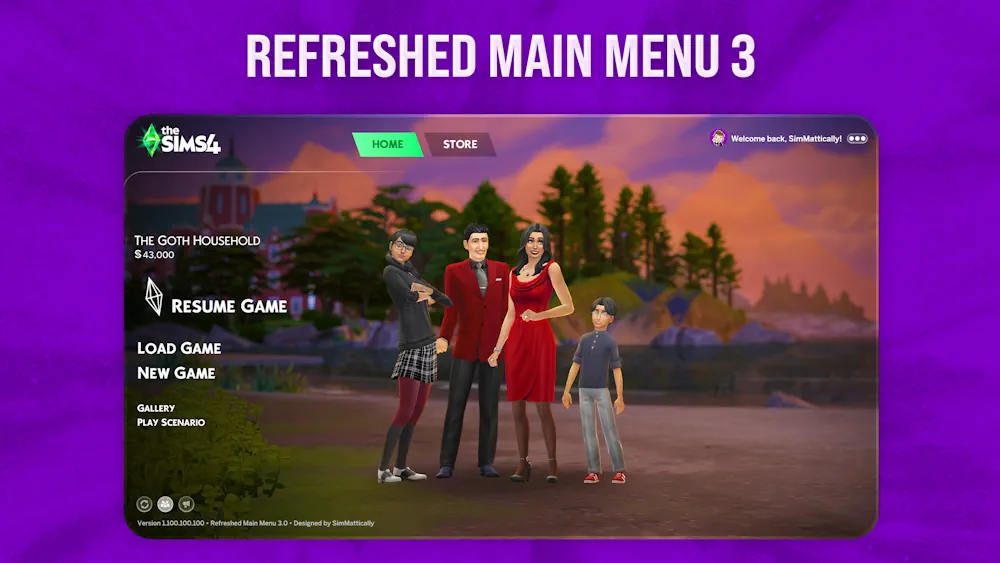


Refreshed Main Menu 3.0
Refreshed Main Menu 3.0 is a visual override for The Sims 4 that changes how the main menu feels before you even load your save. Instead of the usual menu look, this mod gives the start screen a cleaner and more personal style, with support for custom backgrounds and extra small improvements.
It is a good pick if you spend a lot of time opening the game, testing mods, or making screenshots, and you want the first screen to feel less plain.
A Better Main Menu Look
The main idea of this mod is simple - make the Sims 4 main menu feel more fresh. Version 3.0 focuses on giving players more control over the menu background, so the game can match your own style better.
You can use it to create a softer, cleaner, or more aesthetic start screen. It does not try to change your whole game. It only improves the menu area, which makes it easy to understand and useful even for casual players.
What makes it nice:
- Main menu override for The Sims 4
- Version 3.0
- Supports custom background options
- Adds small quality-of-life improvements
- Good for players who like cleaner UI mods
Why You Might Like It
Some mods change gameplay, some add new items, and some just make the game nicer to use. Refreshed Main Menu 3.0 belongs to that last group.
It is especially useful if you like a more personal setup. The default Sims 4 menu can feel repetitive after a while, so having a refreshed layout and background options makes the game feel a bit newer again.
Available Files
Need help? Read our Sims 4 mod installation guide.
How to Install Sims 4 Mods & CC
- Download the file.
- Unzip the archive if needed.
- Move .package or .ts4script files to Documents/Electronic Arts/The Sims 4/Mods.
- Enable Custom Content and Script Mods in the game settings.
- Restart the game.
Comments