
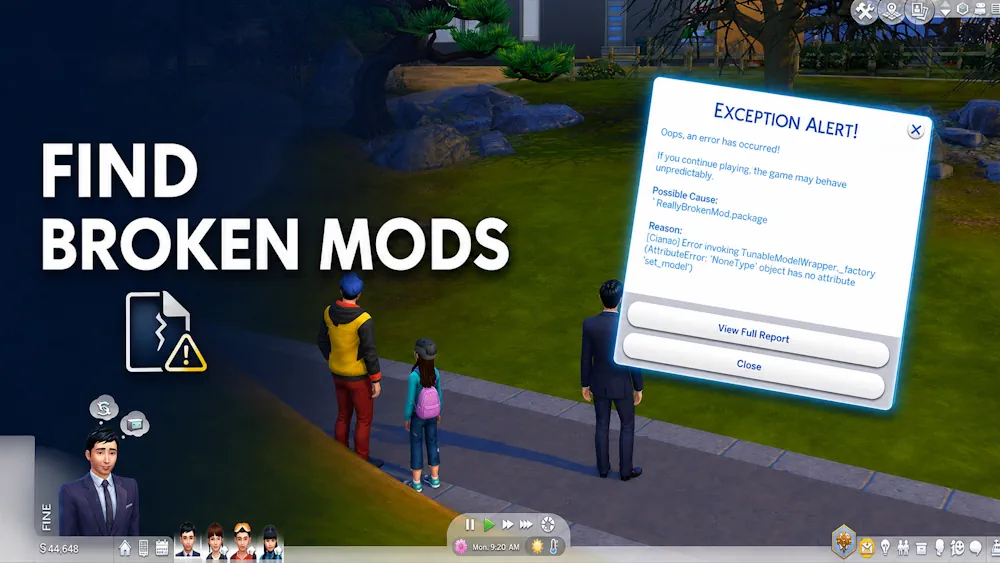


Better Exceptions
A lastException warning usually means that something went wrong, but the standard Sims 4 error file rarely tells an ordinary player what to remove. Better Exceptions by TwistedMexi reads these errors and creates a clearer report with the files that may be responsible.
The mod does not repair outdated custom content or scripts. Its job is to narrow down the cause, show where the suspicious file is located, and save you from testing the entire Mods folder manually.
What happens when an error appears?
Better Exceptions starts scanning after the game detects a script, interface, or critical error. When the scan is complete, a local report opens in your web browser. It includes the type of problem, possible cause, installed script count, and confidence level for the detected file.
A typical check works like this:
- The Sims 4 generates an exception.
- Better Exceptions examines installed mods and related files.
- A notification appears when the scan is finished.
- The detailed report opens outside the game.
- You can locate, update, or remove the suspected mod.
Finding bad CC and interface mods
The tool is also useful when there is no normal lastException message. It can search for custom content used by a Sim’s current outfit, detect certain conflicts, and identify interface mods connected to broken menus, strange icons, empty boxes, or problems opening CAS.
To locate outfit CC, enable testing cheats, Shift-click the affected Sim, and choose BetterExceptions: Locate Outfit CC. The generated list shows the folder paths of the items used by that outfit.
A separate conflict scan is available from the welcome notification shown after loading a household. Large Mods folders may take several minutes to scan. The report focuses on conflicts that can change or damage normal game functions rather than listing every shared resource.
Version 3.17 and installation
Version 3.17 improves script tracking, file read and write detection, critical scans, and interface reports. It also reduces interruptions from minor animation errors that are usually safe to ignore.
Open the downloaded ZIP and move tmex-BetterExceptions.ts4script into the Mods folder. Do not extract or open the TS4SCRIPT file itself. Enable Script Mods in the game settings and restart The Sims 4.
Available Files
Need help? Read our Sims 4 mod installation guide.
How to Install Sims 4 Mods & CC
- Download the file.
- Unzip the archive if needed.
- Move .package or .ts4script files to Documents/Electronic Arts/The Sims 4/Mods.
- Enable Custom Content and Script Mods in the game settings.
- Restart the game.


Comments