


T.O.O.L. Mod
T.O.O.L. by TwistedMexi removes many of the placement limits found in The Sims 4. Its name means Takes Objects Off Lot, but the mod is also useful for detailed work inside regular builds.
Objects can be moved beyond the lot border, placed at unusual heights, tilted in different directions, or resized far beyond the normal options. This makes it possible to create custom structures and decorations from items that were never designed for that purpose.
Four controls change how you build
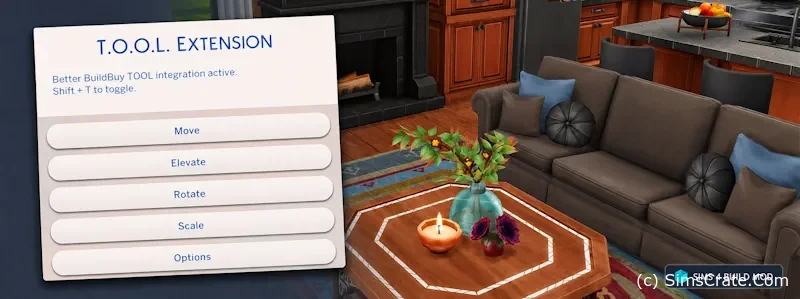
Move places an object at exact coordinates. It can be shifted across the lot or moved into the surrounding world, including areas that Build Mode normally does not allow you to edit.
Elevate raises or lowers the selected item. Pillows can sit properly on sofas, clutter can be placed on unsupported surfaces, and decorations can float at the required height.
Rotate is not limited to turning an object left or right. Items can be tilted forward, backward, or sideways using precise values. This is how builders create leaning frames, angled roof decorations, and objects attached to unusual surfaces.
Scale changes the size of an item. A small decoration can become part of a large structure, while oversized objects can be reduced for more detailed rooms.
Small objects can become something new
T.O.O.L. is often used to combine many ordinary items into a single custom creation. Players build vehicles, shop signs, playground equipment, wall decorations, and even complete buildings from resized and rotated objects.
Several items can also be selected as a group. Once grouped, they can be moved, rotated, or scaled together without losing their position relative to one another.
Live Mode or Build Mode?
The standalone mod works in Live Mode. Enter testingcheats true, then Shift-click an object to open the T.O.O.L. menu. Shift-clicking a surface provides additional placement options.
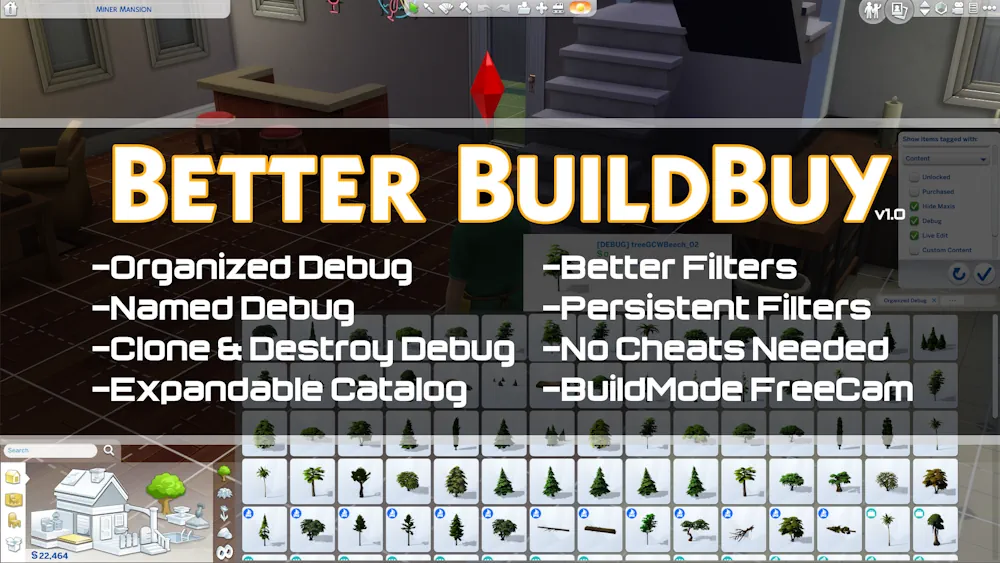
For direct access inside Build Mode, install Better BuildBuy alongside T.O.O.L. The integration can be opened with Shift + T and includes group selection plus separate undo and redo controls.
Open the downloaded archive and move both the TS4SCRIPT and PACKAGE files into the Mods folder. Do not place them several folders deep. Script Mods must be enabled in the game settings.
Available Files
Need help? Read our Sims 4 mod installation guide.
How to Install Sims 4 Mods & CC
- Download the file.
- Unzip the archive if needed.
- Move .package or .ts4script files to Documents/Electronic Arts/The Sims 4/Mods.
- Enable Custom Content and Script Mods in the game settings.
- Restart the game.

Comments