
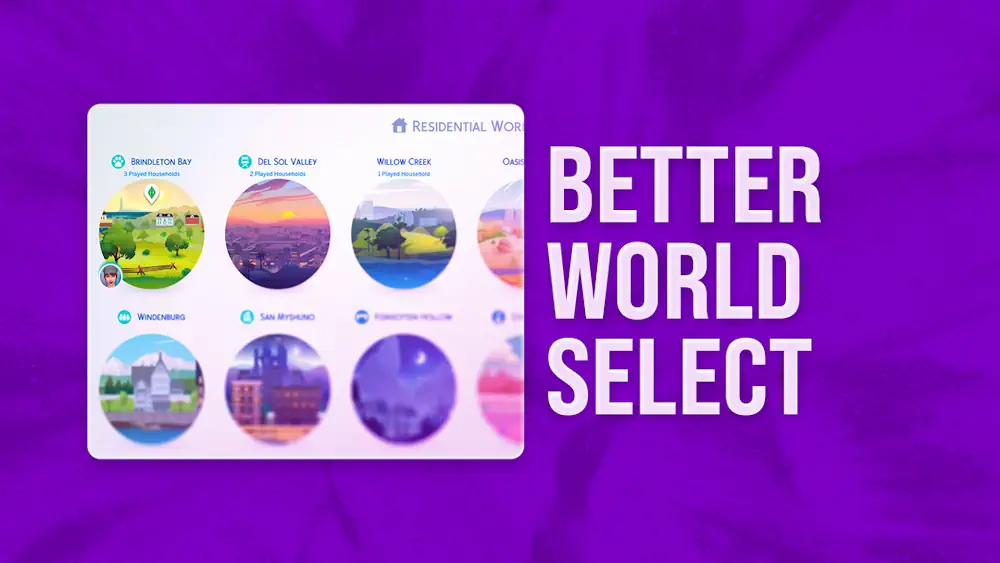


Better World Select
Better World Select gives The Sims 4 world menu a cleaner and more flexible setup. Instead of keeping every world in the default order, you can build a layout that fits your own save.
The mod adds a new in-game settings menu with optional features, so you are not forced to use everything at once. You can reorder worlds with drag-and-drop, hide worlds you do not use, resize the world grid, and keep world names visible without hovering over them.
Your Worlds, Your Order
One of the strongest features is custom world order per save. A legacy save, a challenge save, and a storytelling save can each have their own world list. The Preset Manager also helps you save and load combinations faster when setting up a new game.
Version 2.1 added Animated Clouds, which makes the world selection screen feel more alive. The creator also notes that animated clouds can be used with custom map overrides.
Better World Select can automatically move worlds with played households to the top and hide worlds from packs you do not own. It is a smart UI upgrade for players who want less clutter before choosing where their Sims live, travel, or move next.
Since this is a UI mod, it can conflict with other mods that change the World Selection screen. If you use UI recolors, the creator recommends loading Better World Select before them.
Available Files
Need help? Read our Sims 4 mod installation guide.
How to Install Sims 4 Mods & CC
- Download the file.
- Unzip the archive if needed.
- Move .package or .ts4script files to Documents/Electronic Arts/The Sims 4/Mods.
- Enable Custom Content and Script Mods in the game settings.
- Restart the game.


Comments