
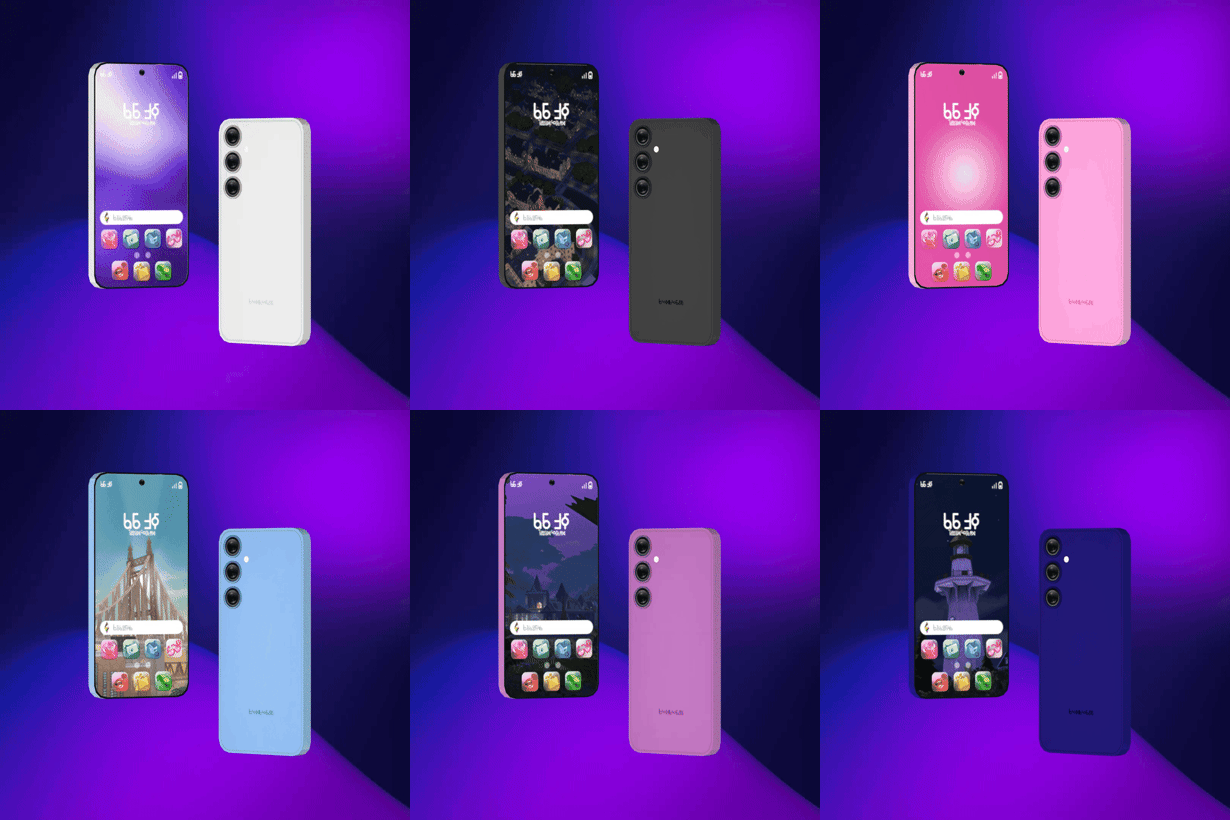

Switch-A-Phone Override
The Switch-A-Phone Override gives your Sims a small but noticeable visual upgrade. Instead of every Sim using the same phone model with only different colors, this override lets them use two different phone styles.
It is a nice detail for players who care about screenshots, storytelling, or making each Sim feel a bit more personal. Some Sims can have a more Apple-style phone, while others can use an Android-style option.
A Better Phone Look for Different Sims
Switching between the models is simple. You just choose a color option with either the Android or Apple logo, and the phone model changes based on that choice.
The mod has files for both Base Game and High School Years, so make sure you download the correct version for your setup. Since this is a phone override, it may conflict with other mods that replace the same phone files.
Available Files
Need help? Read our Sims 4 mod installation guide.
How to Install Sims 4 Mods & CC
- Download the file.
- Unzip the archive if needed.
- Move .package or .ts4script files to Documents/Electronic Arts/The Sims 4/Mods.
- Enable Custom Content and Script Mods in the game settings.
- Restart the game.




Comments